
Inflow Rate
Report layout
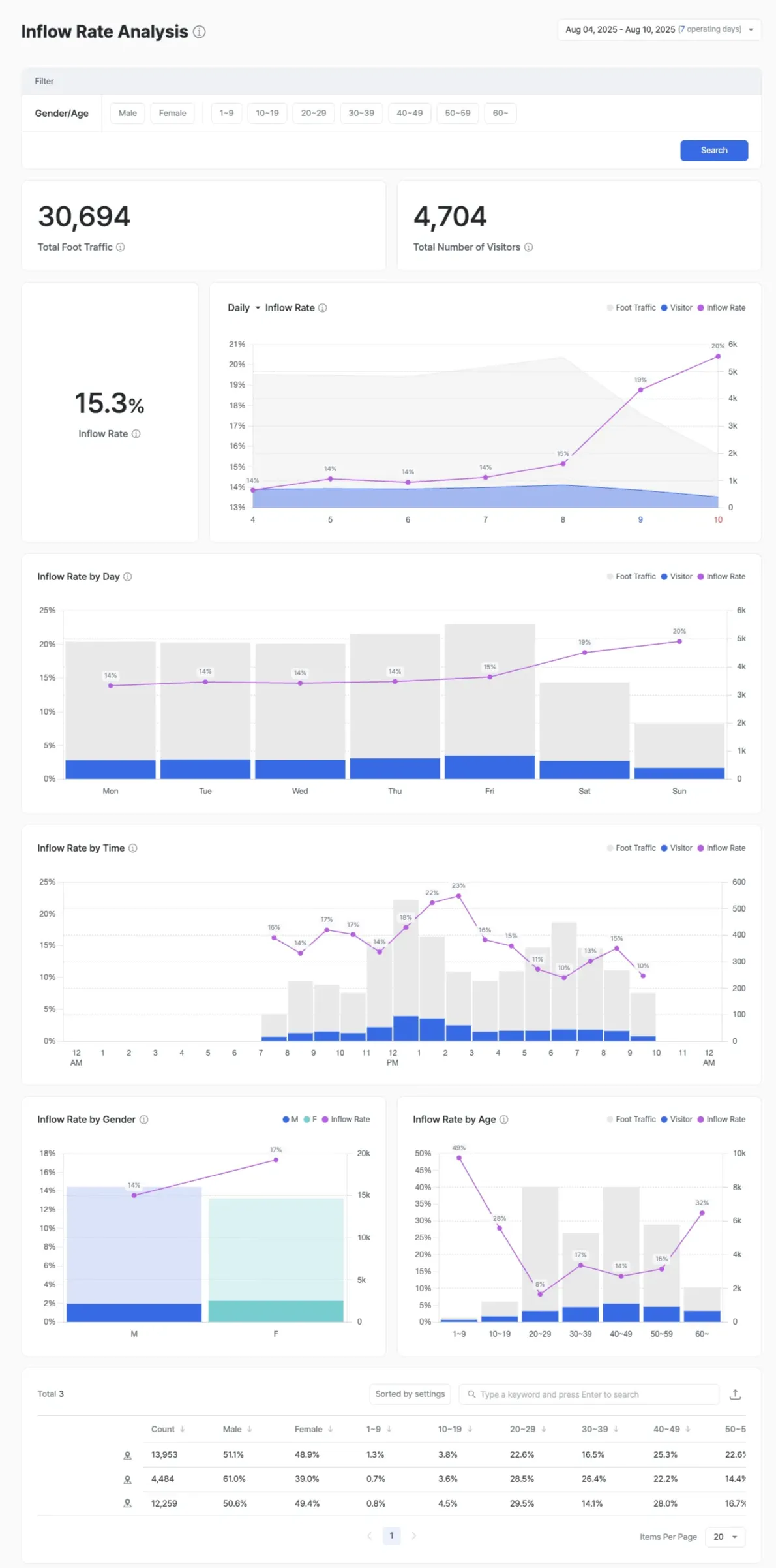
The Inflow Rate report analyzes the share of actual visitors relative to the external pedestrian traffic in front of the store.
For F&B stores like Tous Les Jours and Lotteria, it shows the total foot traffic passing the storefront and the percentage that entered. This is distinct from the entry rate into a specific zone in retail stores like Olive Young.
Analytical view
- Understand external pedestrian characteristics: Measure the volume, direction, and gender / age mix of people walking past the store.
- Inflow path analysis: Identify the directions visitors enter from.
- Non-entrant analysis: Inspect the demographics of people who walked past but didn’t enter, and apply the findings to commercial-area strategy.
Features and calculation
- Inflow rate (%) = (people passing the store entrance ÷ people passing in front of the store) × 100
- Optional staff exclusion and gender / age filters
- Compare inflow rate trends by time of day and day of week
External traffic line data
The external traffic line displayed at the bottom of the report shows the foot traffic and customer characteristics of the commercial area in front of your store. This lets you objectively analyze the commercial scale and flow of that location, regardless of inflow.
Use cases
- Commercial-area attractiveness assessment — Investigate entry barriers when the storefront has heavy foot traffic but a low inflow rate.
- Promotion impact — Compare inflow rates before and after an event.
- Site strategy refinement — Adjust signage and display placement to reflect direction- and time-based inflow differences.
- VMD prioritization — Reassess displays and POP for zones near the entrance that show low inflow.
- Ad ROI — Measure the actual entry rate into zones an ad campaign was meant to drive traffic to.